Customers become work. Work becomes progress.
Tork connects Customers, Projects, Tasks, Employees, Attendance, Support Tickets, Chats, Meetings, Drive, Sheets, Finance and country-aware Payroll in one clear, permission-aware workspace.
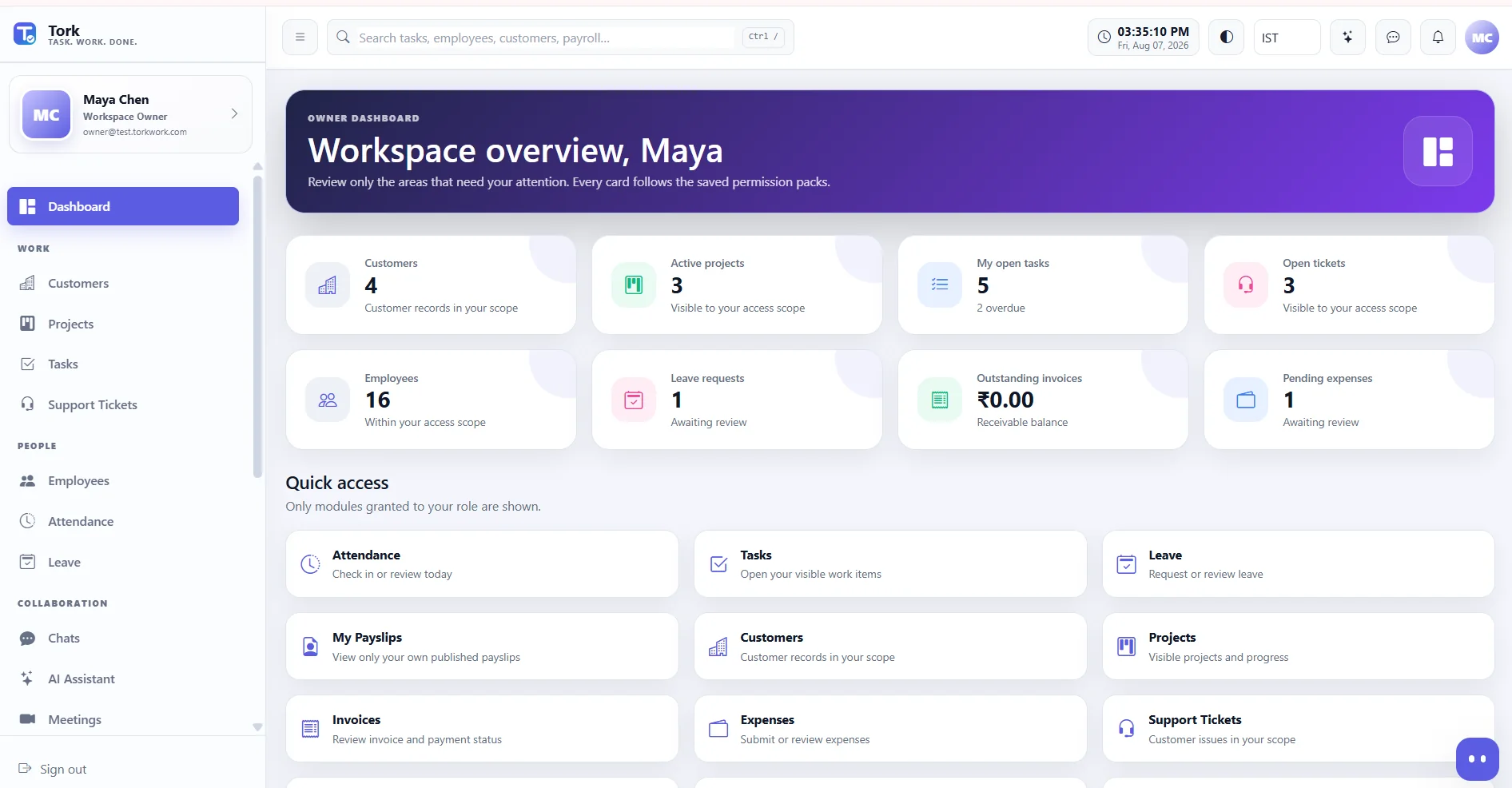
Everything your company runs.
Without making the workflow complicated.
Tork keeps the menu understandable: Work, People, Collaboration, Finance, Reports and Administration - with permissions deciding what each person actually sees.
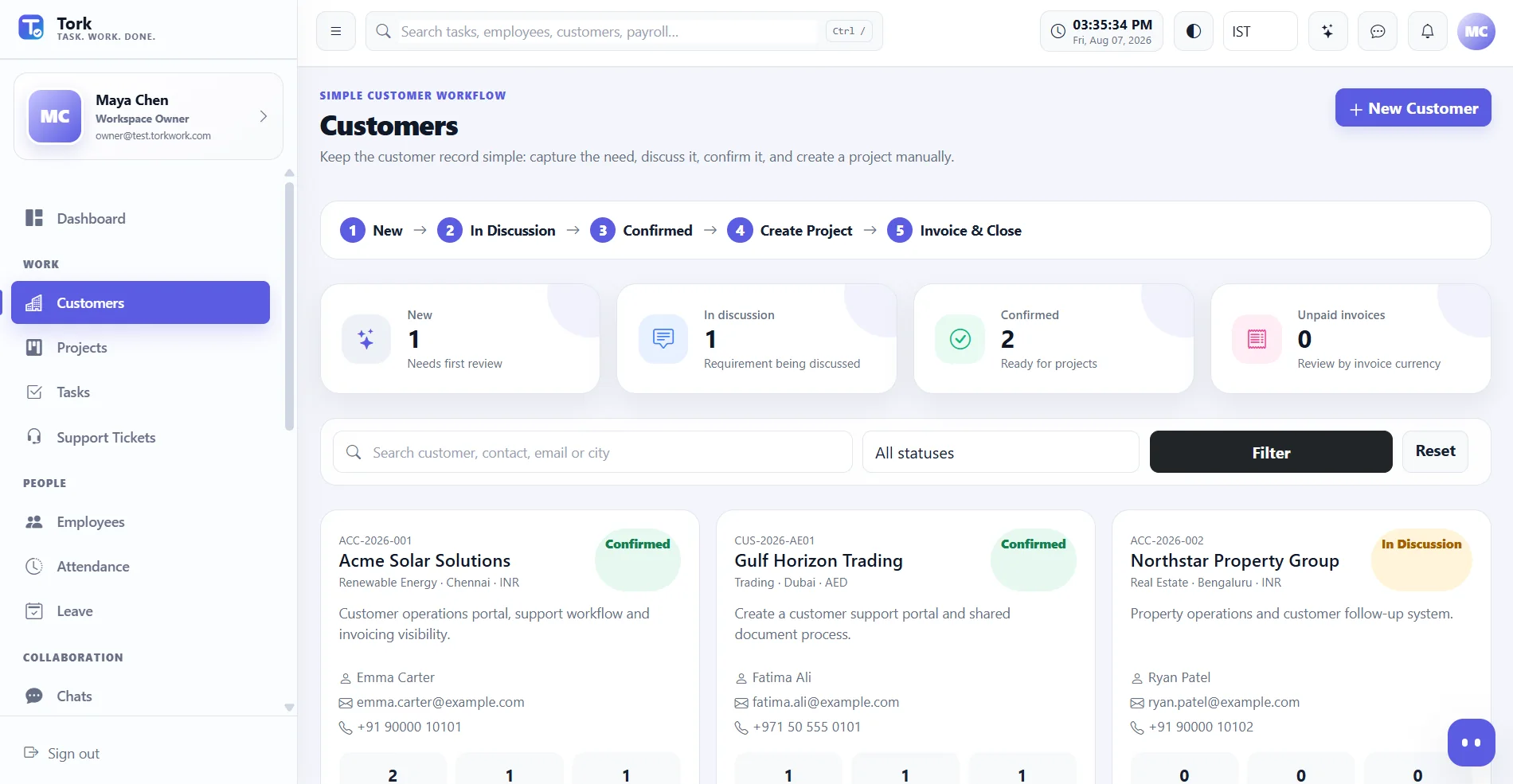
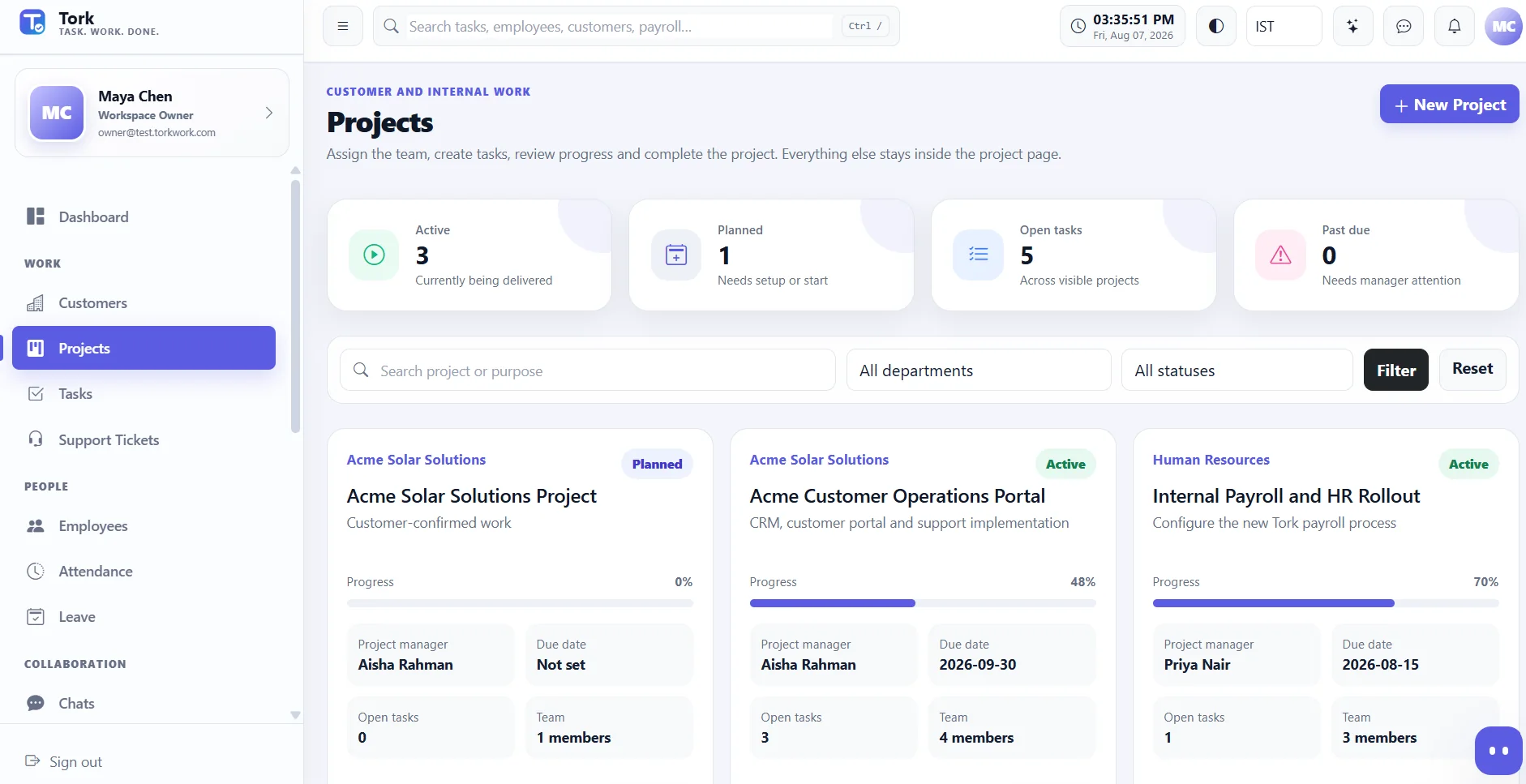
A customer request becomes a project - not a maze of CRM stages.
Keep customer information simple, confirm the work, create the project, assign tasks, track delivery and invoice from the same operational context.
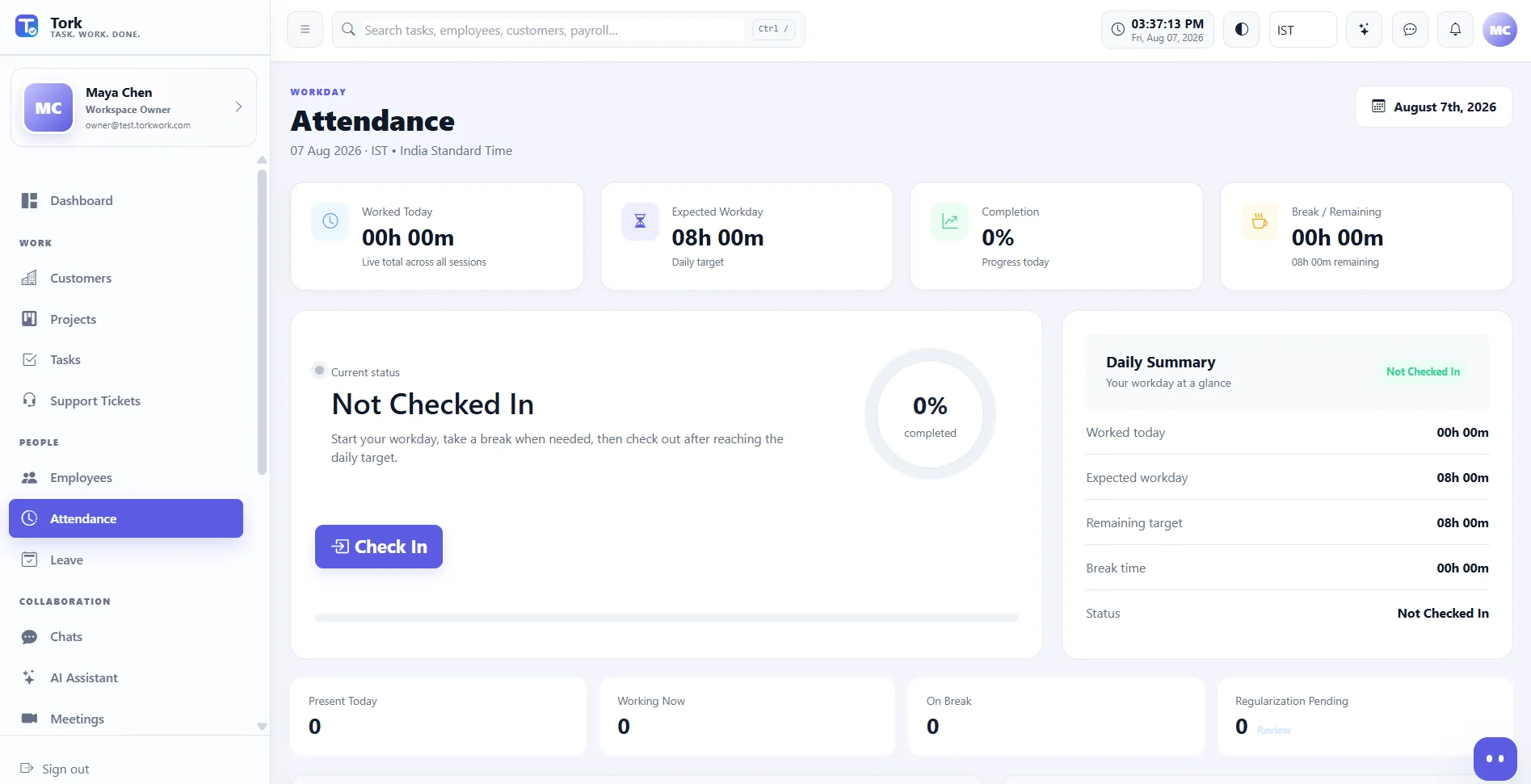
Attendance without duplicate timesheets.
Know who worked, where they worked, leave status and what assigned work moved forward.
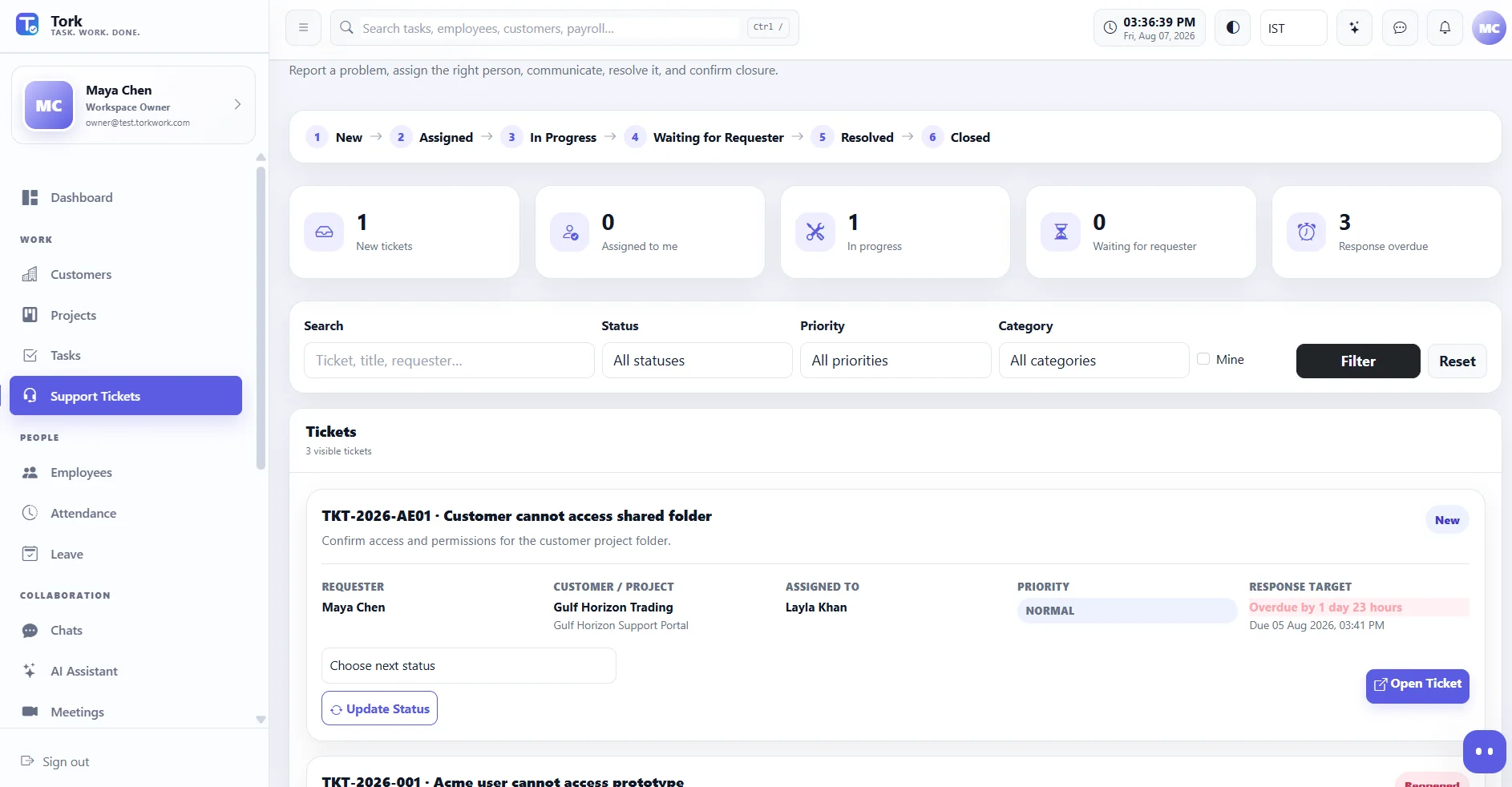
Tickets with a real resolution workflow.
Create, assign, work, wait for requester, resolve, confirm, close and reopen - with public replies, internal notes and SLA context.
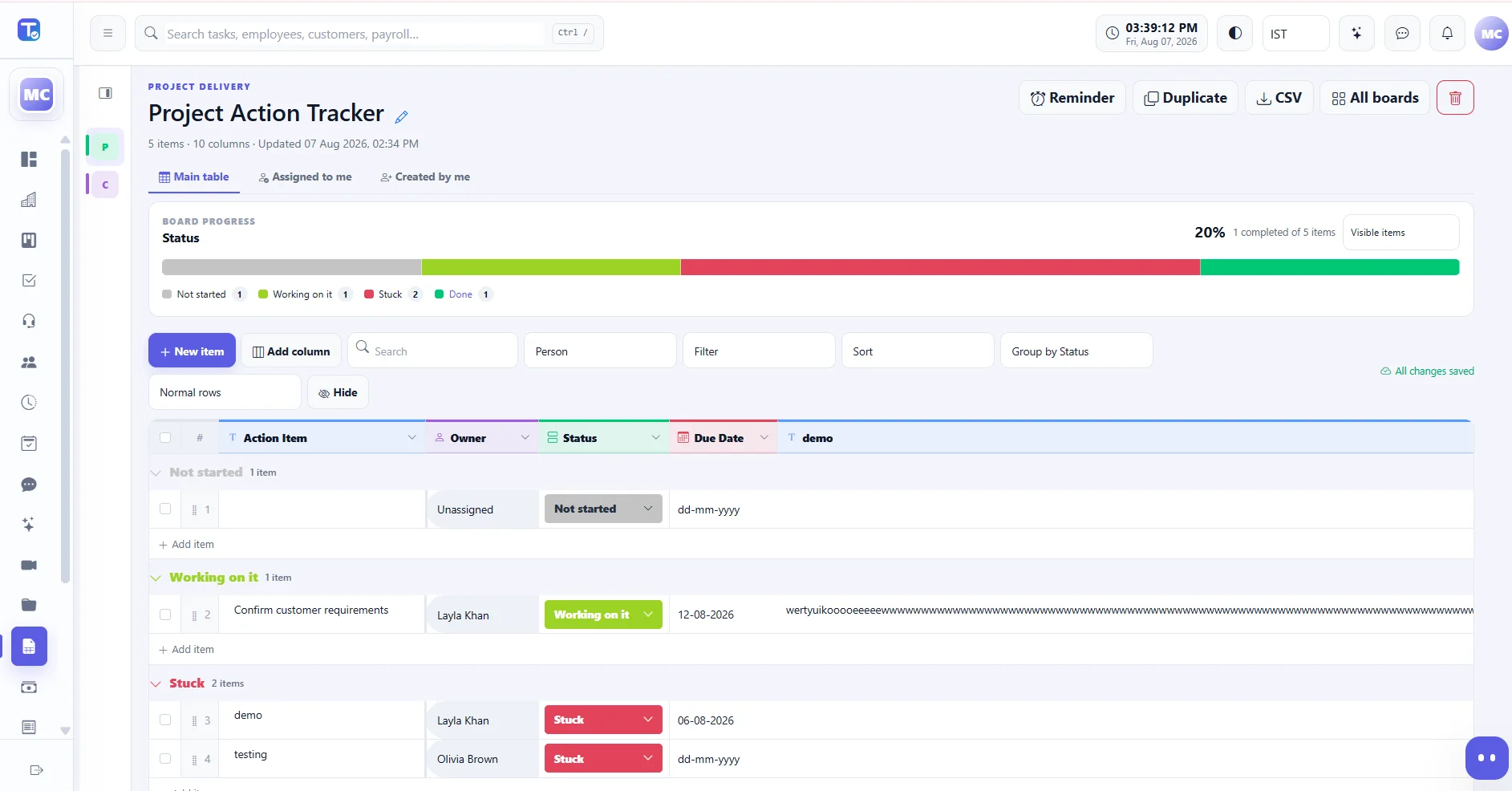
Operational workboards, not static spreadsheets.
People, status, dates, long text, grouped views, progress, custom labels and Excel-style column resizing.
Context stays close to the work.
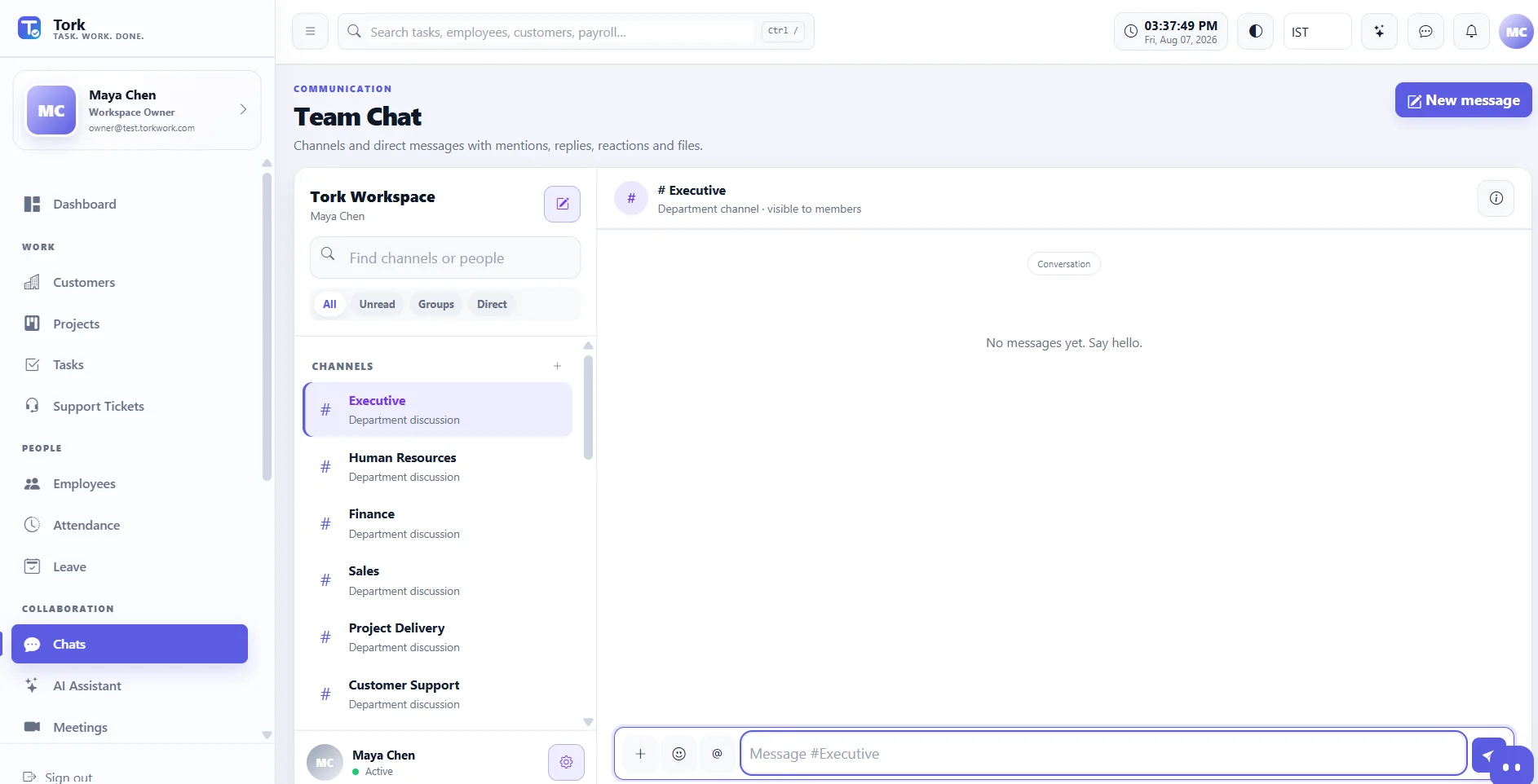
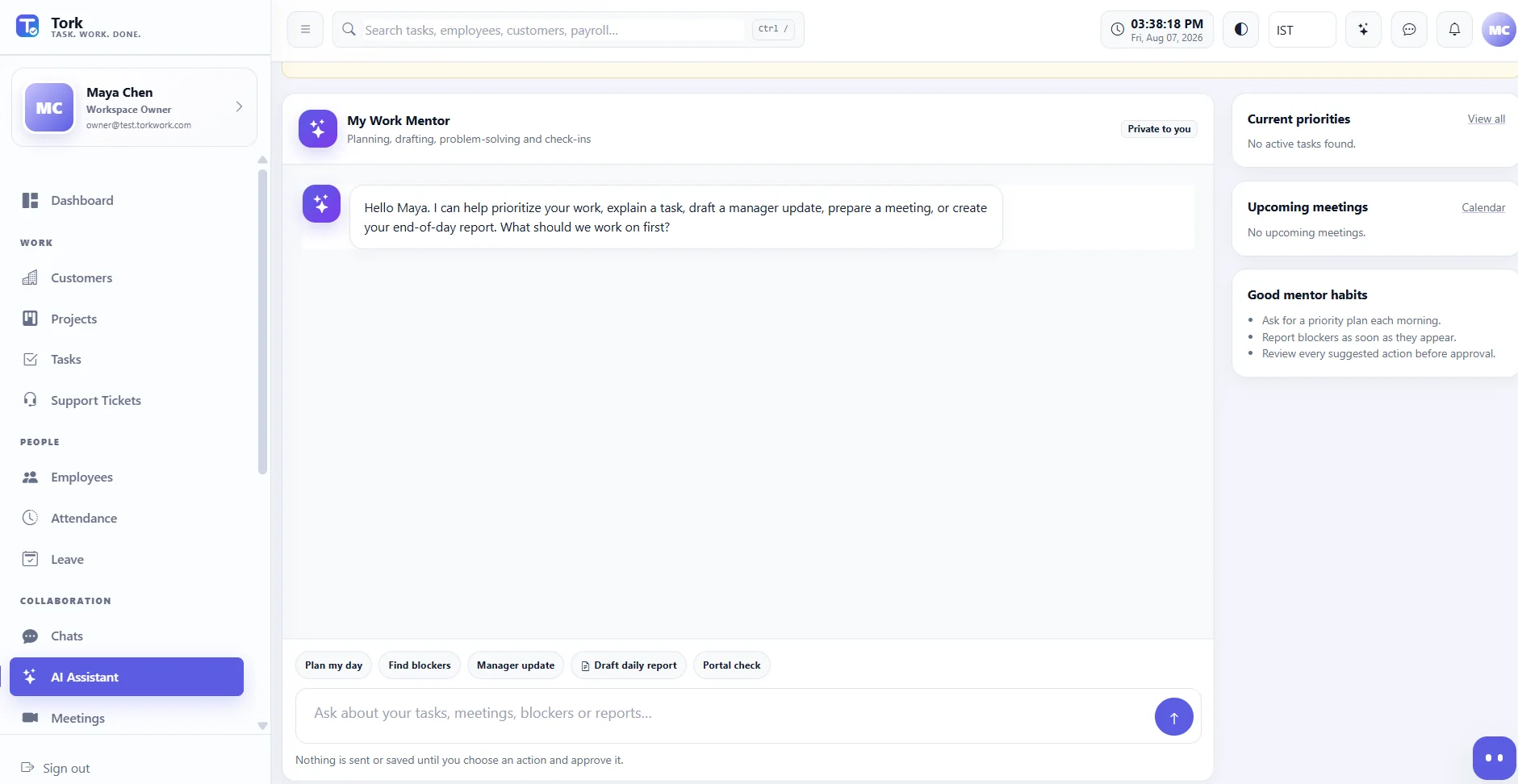
Chats, meetings, files and optional permission-aware AI assistance help people move from conversation to action without changing systems.
“Show my priorities, blockers and what needs attention next.”
Three clear operating loops.
One shared company picture.
Instead of forcing every department through the same CRM pipeline, Tork connects the workflows that actually happen.
From request to revenue
Customer records stay simple. Delivery begins only when the work is real.
From presence to payroll
Attendance tells you whether someone worked. Tasks and work context show what moved.
From issue to closure
Employees can report issues; support owns the queue, communication and resolution.
Show the workflow.
Not a marketing mockup.
These previews come from a Tork demo workspace. Public marketing should use demo/test records only - never production customer or employee data.
Customer context moves into real delivery.
Confirm the work, open the project, assign the team and track the result without rebuilding the same information in another system.
Presence and issues stay visible without becoming the same workflow.
Attendance answers who is working. Support gives every reported issue an owner, status and resolution path.
Conversation stays next to the work.
Team chat, meetings, files and optional AI support help people move from discussion to action inside the same workspace.
See the system
the way teams use it.
Every screen is connected by permissions, ownership and shared records. Choose a product area to preview.
Workspace overviewPriorities, work and attention areas in one view.
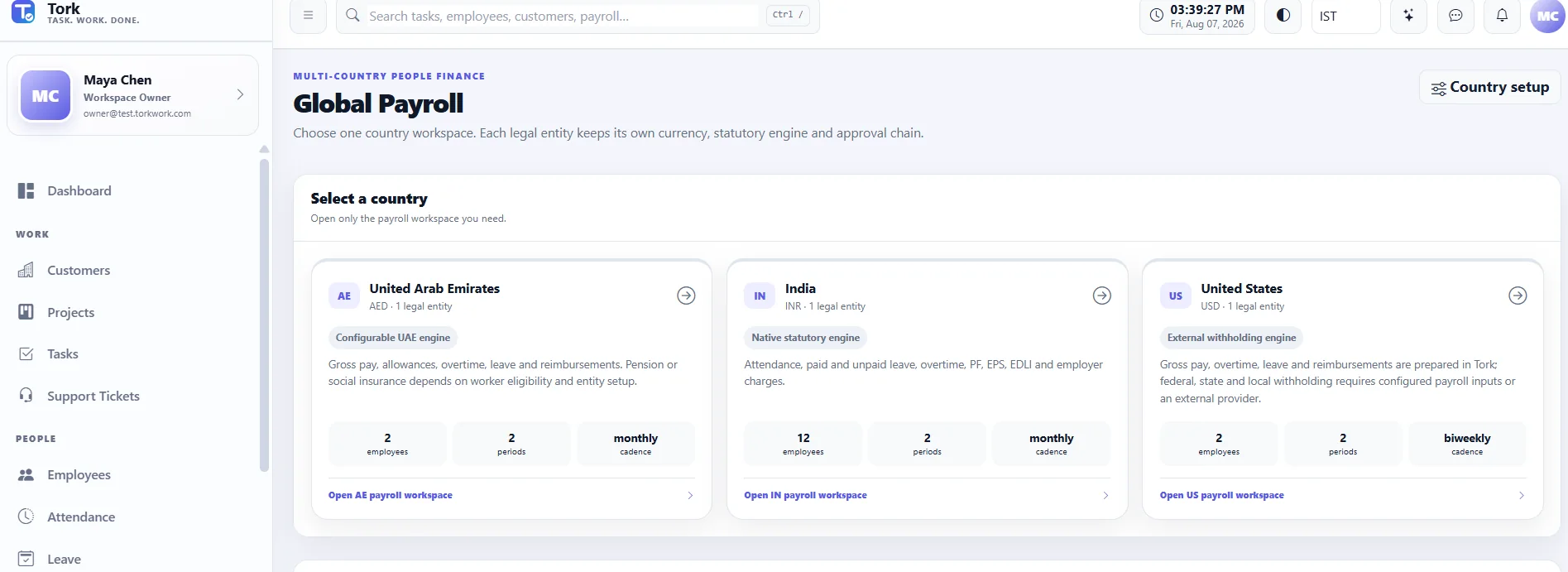
01 / 06Choose the country first.
Then run the right payroll.
Payroll is separated by legal entity, country, currency and approval chain. Teams do not have to scan every country on one crowded screen.
External withholding boundaryIN INR
Native PF / EPS / EDLI rulesAE AED
Configurable UAE pay items
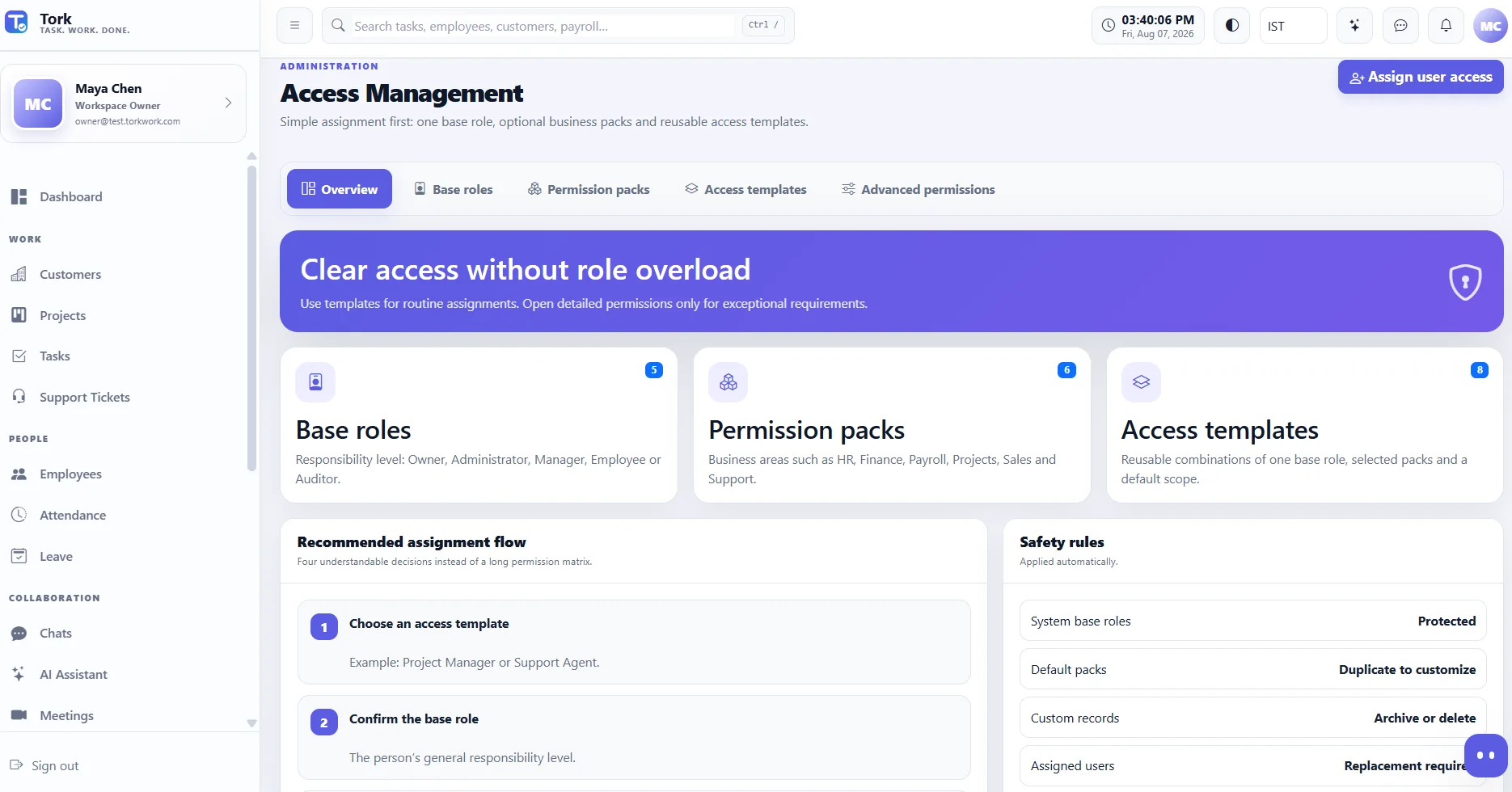
Simple for the Owner.
Precise underneath.
Every user gets one base role, optional permission packs and a scope. Reusable access templates make common assignments easy; detailed permissions stay available for exceptions.
- Five understandable base roles
- HR, Finance, Payroll, Projects, Sales and Support packs
- Reusable access templates and read-only Auditor
Flexible like a spreadsheet.
Structured like an operations board.
Create department or personal boards with People, Status, Date, Text and other columns. Group by status, see completion progress, manage labels, wrap long text and resize columns by dragging the header edge.
- Main table, Assigned to me and Created by me
- Status progress and configurable completion states
- Excel-style column resizing and auto-fit
The same work model
wherever the team works.
Responsive navigation, touch-friendly actions and permission-aware views are designed so employee workflows can move naturally into a dedicated mobile application.
People see what they need.
Not everything the company has.
Tork is designed around permission enforcement at the menu, page, action and backend levels - with clear access configuration for owners and administrators.
Private customer workspaceDedicated application configuration and database model.
Permission-aware modulesFinance does not automatically mean HR, Payroll or Projects.
Employee privacyEmployees see their own payslips rather than company payroll totals.
Audit and recoveryAccess changes and operational events can be reviewed.
Start with Tork.
Extend it where your process is unique.
We can tailor workflows for payroll, finance, customer operations, employee services, approvals, compliance, inventory, claims, property operations and other industry-specific processes.
Start with the team
you have today.
Every plan begins with a 7-day free trial and a private company workspace. Feature availability can vary by plan and implementation.
Starter
Core work and people operations for focused teams.
- Customers, projects, tasks and support tickets
- Employees, attendance and leave
- Chats, meetings, Drive and Sheets
- Private company workspace and database
- Email support
Growth
Connected operations for growing departments and service teams.
- Everything in Starter
- Invoices, expenses and operational reporting
- Reusable access templates and permission packs
- Advanced Sheets workboards and progress
- Calendar and integration options
- Priority support
Business
Global operations, intelligent assistance and implementation support.
- Everything in Growth
- Multi-country payroll configuration
- AI assistance allowance
- Meeting transcription allowance
- Advanced administration and audit
- Implementation and onboarding assistance
Enterprise implementation for larger or specialized operations.
Custom users, onboarding, integrations, infrastructure and workflow design.
Talk to salesWhat companies ask
before they start.
Open the demo or speak with us about your actual workflow.
No. Tork keeps customer work intentionally simple: customer, discussion, confirmation, project, tasks and invoice. It is designed as an operating workspace, not a sales-pipeline-first CRM.
Every user has one base role, optional business permission packs and an access scope. Reusable access templates make routine assignment easy, while advanced permissions remain available for exceptions.
Payroll is separated by legal entity, country and currency. Country engines can use native calculations, configurable rules or approved external withholding/provider inputs depending on the market.
Not by default. Employee access is designed around self-service, including their own published payslips. Company payroll control requires the appropriate payroll permissions.
The web application is responsive and mobile-ready. The same permission and workflow model is designed to support a dedicated mobile application experience.
Yes. Tork can be extended for specialized finance, payroll, claims, compliance, support, inventory and other operational processes, subject to implementation scope.
Public screenshots should contain demo or test records only. Customer production data, employee payroll details, private chats, API credentials and internal infrastructure information should never be published on the marketing site.
Make work easier to understand
before you make it bigger.
See how Tork can connect your customers, delivery, people, support, collaboration and finance without adding another layer of complexity.